Home / Drop for Business
Run your whole shop.
From one computer.
Sell and print receipts, count your stock and know who owes you. Get your own online shop where customers order and pay, and let Drop riders deliver. It keeps working when the network doesn't.
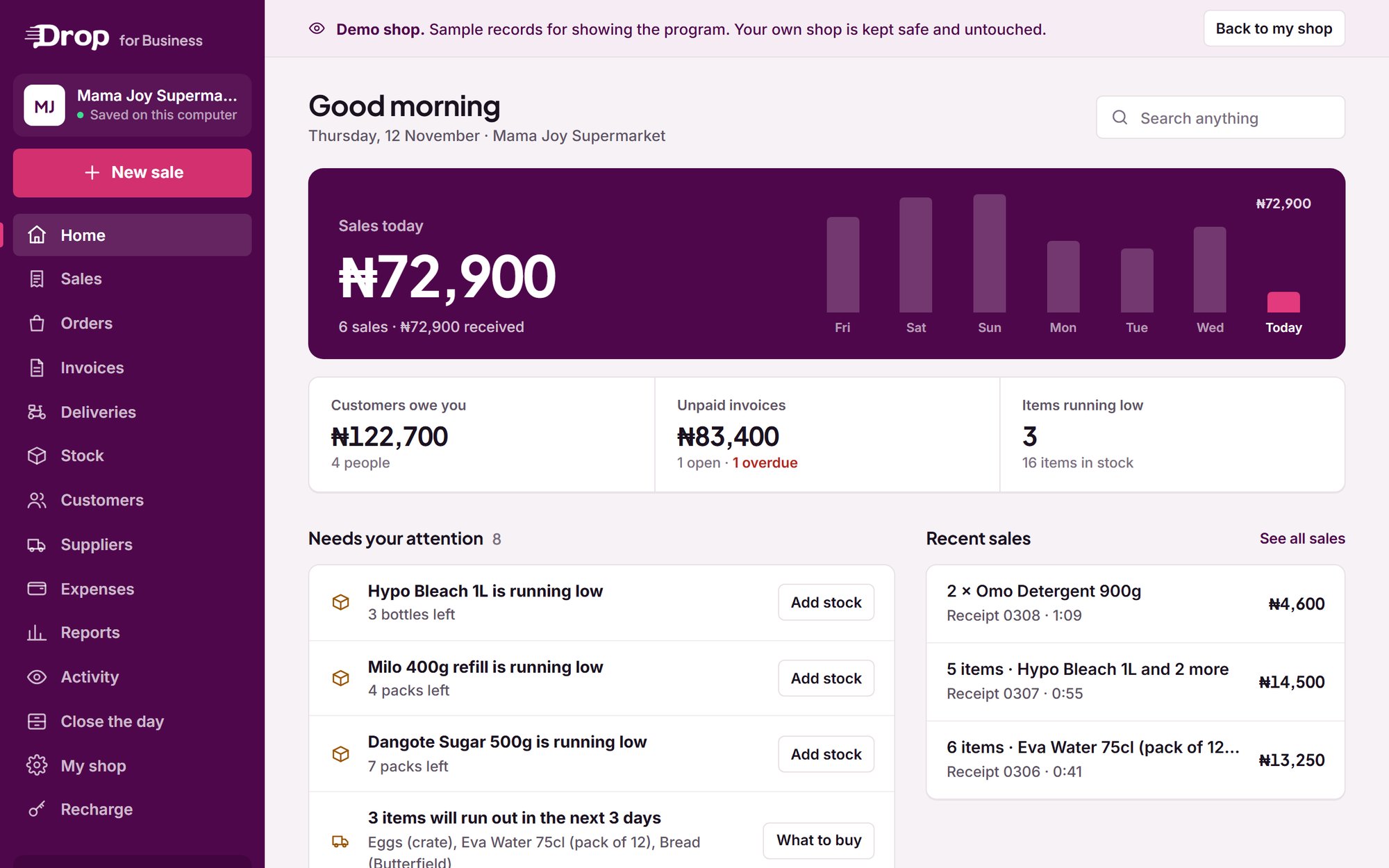
Everything your shop needs
One program. Your whole shop.
Sell fast, print receipts
Scan barcodes or tap items. Take cash, transfer, POS, or a mix. Print a receipt with your logo, and the cash drawer opens by itself.
Stock that counts itself
Every sale comes off your stock. It warns you before things run out or expire, and tells you what to buy. Bring your items in from Excel in one go.
Know who owes you
Credit sales are written down for you. Send a polite reminder on WhatsApp with one tap.
Wholesale and invoices
Set a wholesale price beside your retail price. Send invoices with a due date and your bank details, and see who is late.
Close the day, see your profit
Count your drawer at closing and see if anything is missing. Sales, expenses and real profit for today, this week or this month.
Suppliers and restocking
Keep your suppliers and what you bought from them. Send a Drop rider to fetch new stock and bring it to your shop.
Staff with their own PIN
Each attendant signs in with a PIN. You see who sold what, and only you can change prices, refund or delete.
More than one shop
Link your branches, send stock from one to another, and see every branch's sales, stock and debts on your phone.
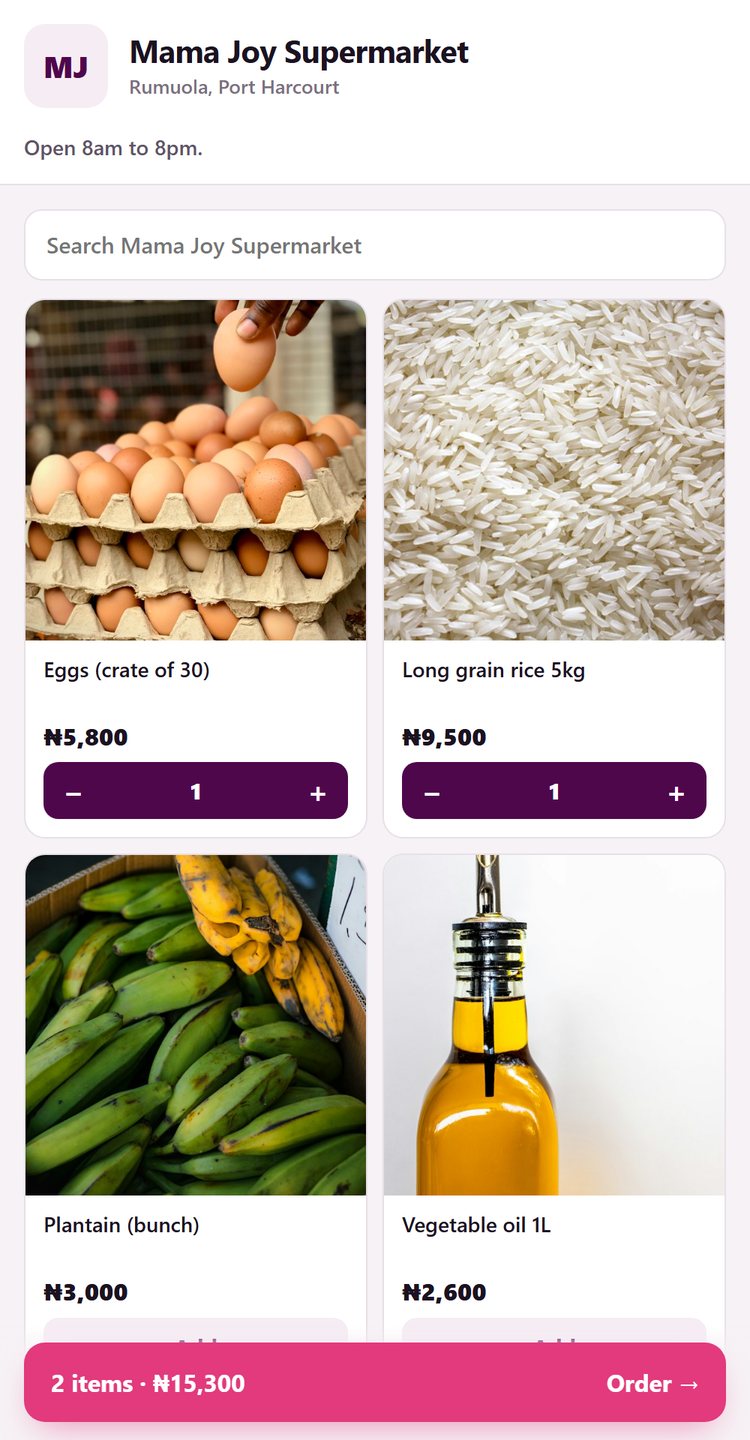
Your own online shop
A shop page at lasaludrop.com/your-name, made from your stock. Customers order and pay there, any time. See how
Your own online shop
Customers order from your link. You hear it at once.
Every shop gets its own page, with your items, photos and prices, straight from your stock. Share it on WhatsApp, Instagram or as a QR code at your counter.
lasaludrop.com/your-shop-name- Turn on online payment, and customers pay for the goods and the delivery at once
- They can send it to someone else, for gifts and giveaways
- A new order pops up big on your screen with a sound, so you never miss one
- Sold out items show as sold out by themselves. No more "is it available?"
- Can't fill an order? Decline it and the customer gets all their money back
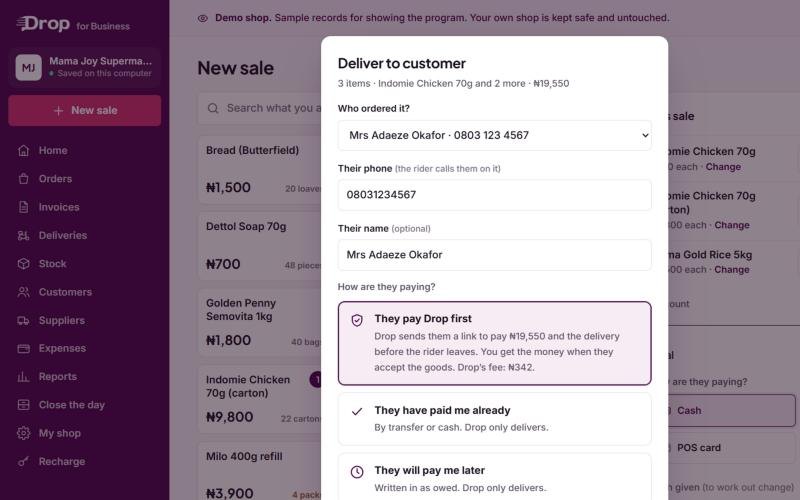
Delivery and getting paid
A Drop rider comes to your shop. Your money is safe.
Book a rider for any sale or order straight from the program. Name your own price for the delivery, and the rider comes to your shop to pick it up.
- Pay with Drop: the customer pays Drop before the rider leaves. Drop pays you when they have the goods. No more "I will transfer when it gets here".
- The customer gets a code to give the rider, so goods are only handed to the right person
- Follow every delivery in the program, from "finding a rider" to "delivered"
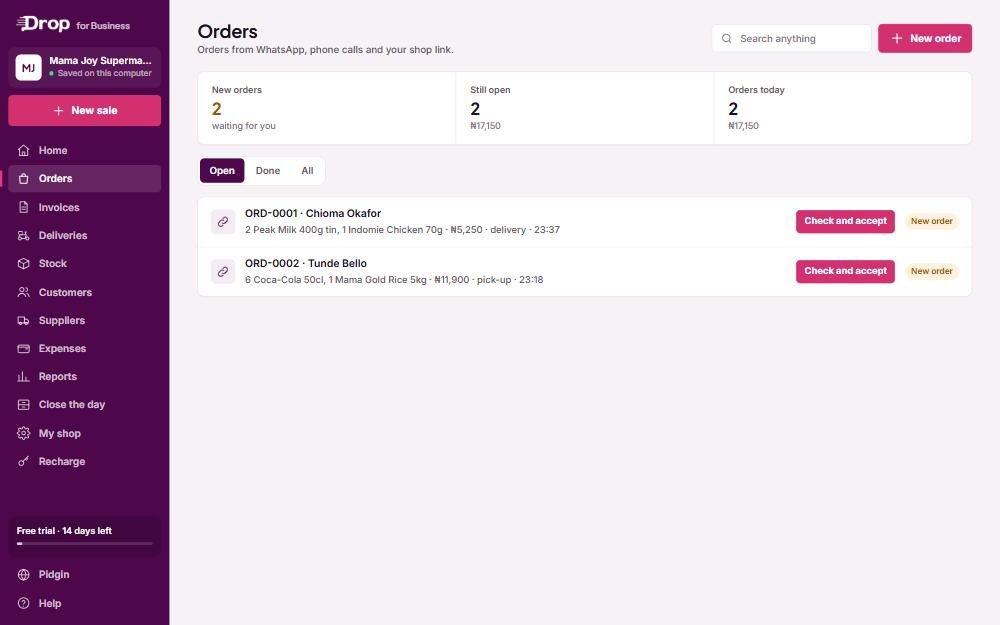
Built for real shops
Works without internet. Safe even if your computer isn't.
Your records stay on your own computer, so no light, bad network or no data never stops a sale. Back up to a flash drive in one click, or turn on Cloud backup and bring everything back on a new computer with a code sent to your phone.
- Orders from WhatsApp, phone calls and your shop link, all in one list
- English or Pidgin, switch any time
- Big, clear buttons. If you can use WhatsApp, you can use this.
- Prints on 58 mm and 80 mm receipt printers, and on A4
Simple prices
Free for 14 days. Then pick a plan.
Everything is included in every plan. Pay inside the program by card, transfer or USSD, or buy a recharge PIN from a Drop marketer or our office.
One computer
Cloud backup ₦2,000 a month
₦8,000 a month · one computer
Cloud backup free
₦5,000 a month · one computer
Cloud backup free
A year for 2 computers
₦40,000 a year for each extra computer · Cloud backup free
When a plan ends you get 7 more days to recharge. Your records are never locked away. You can always see, print and back them up.
Get started
On your computer in a minute.
- 01
Download it
On the computer you sell with, click “Download for Windows” on this page, then open the file.
- 02
Click Install
It goes on your desktop and in the Start menu, like any other program. No admin password needed.
- 03
Set up your shop
Add your shop name, your logo and the things you sell. Then start selling, and share your shop link.
Questions
What shop owners ask us.
What is my shop link?
How do I get paid when a customer pays online?
Where are my records kept?
What happens when there is no internet?
I have more than one computer or more than one shop.
Does it work with my receipt printer and barcode scanner?
Windows says “Windows protected your PC”. Is it safe?
Can I use it on my phone or a Mac?
How do I pay for my plan?
What happens after the 14 free days?
Give your shop a proper book, and an online shop.
Fourteen days free. Everything included. No card needed.